Pillo iOS Alternative: Try MyMedAlert on iPhone
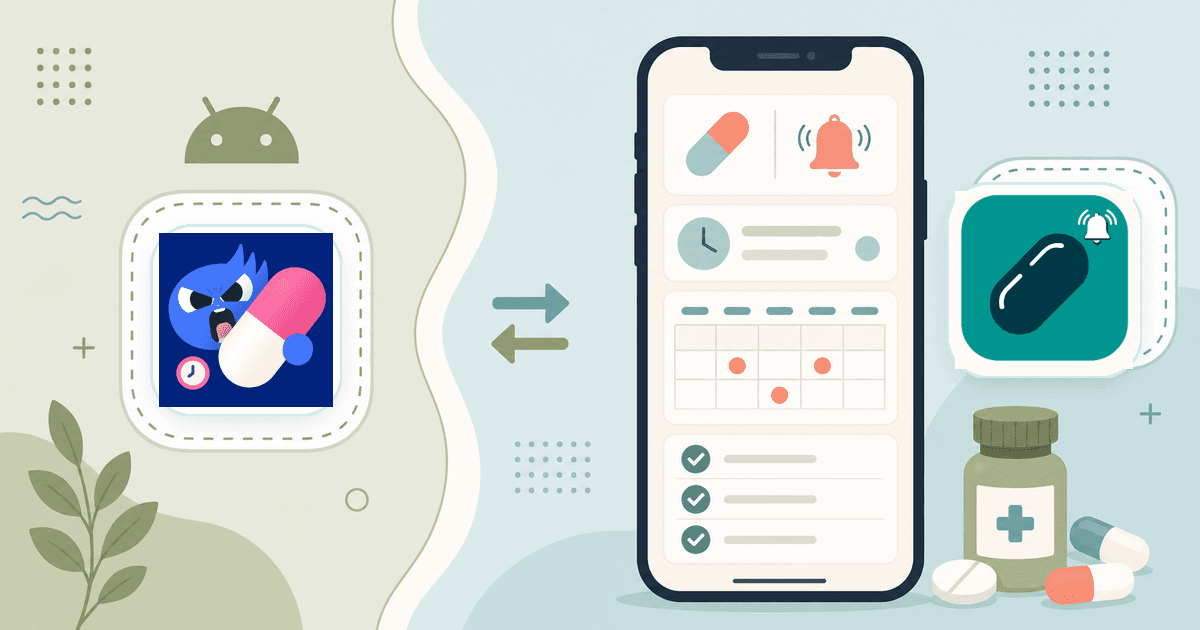
If you searched for a Pillo iOS alternative, the short answer is this: try MyMedAlert if you want a medication reminder and pill tracker that is already available for iPhone and Android.
There is one important naming point before comparing the apps. The official Pillo Care app is available on Android through Google Play, and Pillo's own blog says there is no iOS version at this time.12 You may see similarly named App Store listings, but the visible "Pillo: Pill Reminder Tracker" listing is from a different developer, not Pillo Care/Pillo Health.3
That is where MyMedAlert fits. It is not trying to be a giant health dashboard first. It is built around the daily routine: add your medication, set the schedule, get reminded, log what happened, and keep enough history to feel less uncertain tomorrow.
The Direct Answer
If your priority is an iPhone medication reminder app you can download today, MyMedAlert is the cleaner choice to try first.
| What you need | Why MyMedAlert fits |
|---|---|
| iPhone availability | MyMedAlert is listed on the App Store for iPhone.4 |
| Android availability too | MyMedAlert is also listed on Google Play.5 |
| Daily medication reminders | Add medications, dosage details, and schedules, then get reminders around your routine.6 |
| Dose tracking | Mark doses as taken or skipped and review your history later.6 |
| Refill awareness | Track supplies and get an early heads-up before a refill becomes urgent.6 |
| Family or caregiver organization | Use profiles to separate schedules for family members, caregivers, or dependents.6 |
| Reports and portability | Export medication data and restore it when switching devices.4 |
Pillo may still be worth evaluating on Android, especially if you specifically want its persistent alarm style or the feature set described in its official listing.1 But if the practical question is, "What should I install on my iPhone right now to manage my medications?", MyMedAlert is built for that decision.
Why People Look for a Pillo iOS Alternative
Most searches for an alternative come from one of four situations:
- You used Pillo on Android and want something similar on iPhone.
- You cannot find an official Pillo Care app in the App Store.
- You found a similarly named App Store listing and want the official iPhone alternative instead.
- You want a calmer medication reminder without a heavy personality layer.
- You mainly need reminders, logs, refill tracking, and simple reports.
Medication apps are personal tools. A feature that helps one person stay consistent can feel like friction to someone else. The best app is usually the one you will actually keep using after the first week.
That is why MyMedAlert keeps the core workflow narrow. It focuses on the parts of medication management that create everyday uncertainty: what to take today, whether you already took it, what is coming next, and whether you are close to running out.
Pillo vs MyMedAlert: The Practical Difference
Pillo's official Android listing emphasizes a persistent pill alarm, medication tracking, refill reminders, caregiver alerts, health logs, and safety-checker features.1 Its own blog describes the app as Android-only, with no iOS version at the time of access.2
MyMedAlert takes a more direct routine-management approach. Its website and store pages emphasize treatment schedules, reminders, daily tracking, refill supplies, calendar views, reports, import/export, local authentication, and separate profiles.46
In plain terms:
| Choose this direction if... | Better fit |
|---|---|
| You are on Android and want an app that pushes hard until you respond | Pillo may be worth testing |
| You want a straightforward medication schedule on iPhone | MyMedAlert |
| You want Android and iPhone support under one app name | MyMedAlert |
| You care most about logs, refill planning, reports, and routine clarity | MyMedAlert |
| You want the iPhone alternative to Pillo Care | MyMedAlert |
The difference is not just a checklist. It is the feel of the routine. MyMedAlert is designed for people who want the app to be present at dose time, useful when checking history, and quiet the rest of the day.
What MyMedAlert Helps You Do on iPhone
Build a Schedule You Can Actually Follow
The first job of a medication app is not to impress you with features. It is to make the next dose clear.
In MyMedAlert, you add each medication, dosage, and schedule, then use reminders to keep that schedule visible.6 That matters most when your routine is not as simple as "one pill every morning." Multiple doses, supplements, short-term prescriptions, shift work, travel, and caregiver tasks all make memory less reliable.
If you are setting up a written routine before adding it to the app, the medication schedule builder can help you map the day first.
Log Taken, Skipped, and Missed Doses
The question "Did I already take that?" is one of the most common reasons people need more than a basic phone alarm.
MyMedAlert gives you a dose history so you are not reconstructing the day from memory.6 That is useful for daily medications, weekly treatments, vitamins, short courses after surgery, and caregiver-supported routines.
This is also where a phone app can do what a plastic organizer cannot. A pill box can show that a compartment is empty. It cannot reliably tell you when the dose was taken, whether it was skipped, or what happened last Tuesday. For a broader look at that gap, read Why Pill Organizers Aren't Enough Anymore.
Plan Refills Before They Become a Problem
Running out is usually not a single mistake. It is a chain: the bottle gets low, the pharmacy needs time, the refill request waits, the weekend arrives, and the dose is suddenly missing.
MyMedAlert includes refill tracking so you can get an early warning before supply gets too low.6 If you want to estimate a run-out date manually, use the medication refill calculator and then set the reminder while the number is still fresh.
Keep Records You Can Share
A useful medication history should be easy to review when someone asks, "How often have you missed it?" MyMedAlert supports medication reports and export/restore workflows, which can help when you are preparing for a pharmacist conversation, switching devices, or keeping a backup of your records.46
Do not treat an app report as medical advice. Treat it as a cleaner record of what happened. If a dose question involves side effects, duplicate dosing, a child, a high-risk medication, or symptoms that worry you, contact a pharmacist, prescriber, Poison Help, urgent care, or emergency services as appropriate.
When MyMedAlert Is the Better Pillo Alternative
MyMedAlert is a strong fit if you want:
- A medication reminder app available on iPhone
- A matching Android option if your household uses mixed devices
- A simple daily view of what is due
- Taken, skipped, and missed dose history
- Refill tracking
- Reports for conversations with your doctor or pharmacist
- Import/export support when you move devices
- Separate profiles for family members or caregiving routines
It is especially useful when the problem is not motivation, but uncertainty. You do not need an app to scold you. You need one reliable place to see the plan and the record.
What to Check Before You Switch
Before moving from Pillo, Apple Health Medications, Medisafe, a pill organizer, or any other reminder system, do a quick audit:
| Question | Why it matters |
|---|---|
| How many medications do I take each day? | More medications usually means more timing and logging risk. |
| Do I ever wonder whether I already took a dose? | That is a sign you need a dose history, not just an alarm. |
| Do I run out before refilling? | Refill tracking should be part of the system. |
| Does someone else help manage my routine? | Profiles and exportable records can reduce back-and-forth. |
| Do I use both iPhone and Android in my household? | Cross-platform availability matters for families. |
If most of your answers point to reminders, logs, refill timing, and family organization, MyMedAlert is the better app to test.
How to Try MyMedAlert
Start small. Do not rebuild your entire medication life in one sitting.
- Add the medication or supplement you miss most often.
- Set the reminder time that matches your real routine, not an ideal routine.
- Log each dose for one week.
- Add refill details for anything that regularly runs low.
- Add the rest of your routine once the first medication feels stable.
You can download MyMedAlert from the App Store or Google Play. If you are on an iPhone and came here because Pillo was not available, confusing, or not what you expected, this is the simplest next step.
FAQ
Is Pillo available on iOS?
Not as the official Pillo Care app. Pillo's own blog says Pillo is available on Android only through Google Play and that there is no iOS version at this time.2 A similarly named App Store listing exists, but Apple lists a different developer, so do not assume it is the official Pillo Care/Pillo Health app.3
Is MyMedAlert available for iPhone?
Yes. MyMedAlert is listed on the App Store as "MyMedAlert: Dose Reminder" and is marked for iPhone.4
Is MyMedAlert also available on Android?
Yes. MyMedAlert is also listed on Google Play.5
Is MyMedAlert medical advice?
No. MyMedAlert is a medication reminder and tracking tool. It can help you organize schedules and records, but it does not replace a clinician, pharmacist, Poison Help, urgent care, or emergency services.
Should I switch if Pillo works for me?
Not necessarily. If Pillo works well for your Android routine, the best choice may be to keep using it. Switch when you need an iPhone app, the app is unavailable to you, the workflow feels too heavy, or you want the reminder, log, refill, and report setup MyMedAlert provides.
Bottom Line
If you are looking for a Pillo iOS alternative, do not get stuck comparing every feature. Start with the routine you need tomorrow morning.
MyMedAlert is available on iPhone, also available on Android, and built around the medication-management basics that matter every day: reminders, dose logs, refill tracking, reports, and organized profiles. Download MyMedAlert, add one medication, and see whether it makes the next week easier to manage.
References
Footnotes
-
Google Play. Pillo: Pill Reminder & Alarm, listed by Pillo Health Inc. Accessed July 7, 2026. https://play.google.com/store/apps/details?id=xyz.rtrvr.pillo ↩ ↩2 ↩3
-
Pillo. An Introduction to Pillo: The Angry Pill Box. Accessed July 7, 2026. https://pillo.care/blog/an-introduction-to-pillo-the-angry-pill-box ↩ ↩2 ↩3
-
Apple App Store. Pillo: Pill Reminder Tracker, listed under developer Leonid Lystopadov. Accessed July 7, 2026. https://apps.apple.com/us/app/pillo-pill-reminder-tracker/id6736664288 ↩ ↩2
-
Apple App Store. MyMedAlert: Dose Reminder. Accessed July 7, 2026. https://apps.apple.com/app/mymedalert-dose-reminder/id6760476589 ↩ ↩2 ↩3 ↩4 ↩5
-
Google Play. MyMedAlert: Dose Reminder. Accessed July 7, 2026. https://play.google.com/store/apps/details?id=com.vlvmymedalert ↩ ↩2
-
MyMedAlert. Medication Reminder and Pill Tracker App. Accessed July 7, 2026. https://mymedalert.app/ ↩ ↩2 ↩3 ↩4 ↩5 ↩6 ↩7 ↩8 ↩9